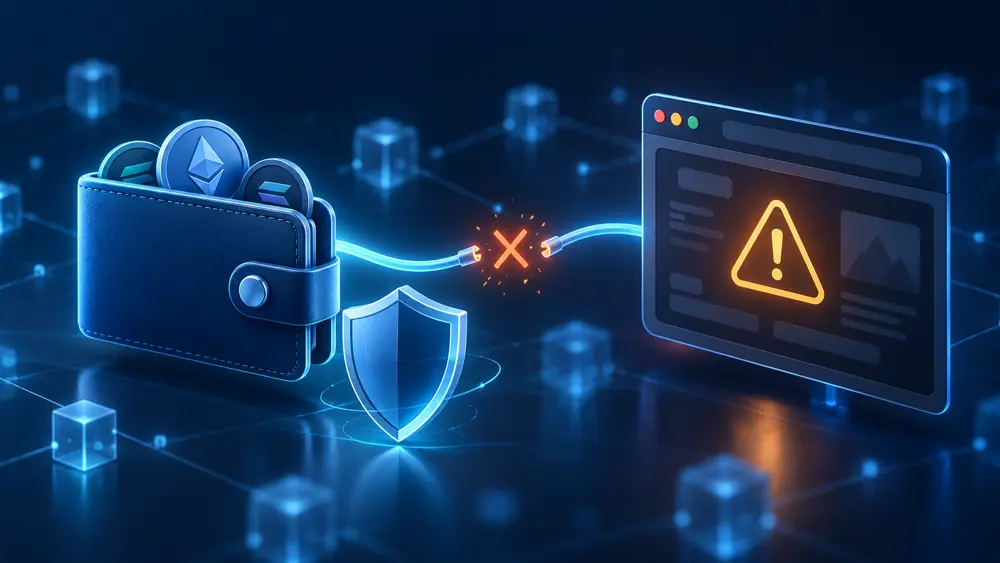
You open a link to claim an airdrop, connect your wallet and follow the instructions. Then something makes you hesitate. The website asks you to “verify” your wallet again. A request mentions unlimited spending. Or you notice that the domain is slightly different from the project’s real address.
Your first thought is probably: Can they take my crypto now?
The answer depends on what happened after you clicked Connect. Sharing your public wallet address, approving token access and entering your recovery phrase are very different actions. Understanding that difference helps you respond without making the situation worse.
This guide explains the next steps for self-custody wallets, using MetaMask and Ethereum-compatible networks as examples. Other wallets and networks may handle permissions differently.
What actually happens when you connect a wallet?
Connecting a wallet usually allows a website to identify your selected public account and request further interactions. Because blockchain records are public, the site can use that address to inspect balances and transaction history.
A standard connection does not give the website your seed phrase or automatically approve every future transfer. The more serious risk often begins when it asks you to sign something.
That request might be a legitimate login message. It could also authorise a token approval, an NFT listing or another action with financial consequences. A convincing website can describe the request as “verification” while the actual permission does something else. MetaMask’s explanation of NFT listing scams describes how attackers exploit this gap between the website’s wording and what a user signs.
Think of a familiar shopping website. Opening your account page and authorising a payment are separate actions. Wallet interactions also have separate stages, but the consequences can be harder to recognise.
Before deciding what to do, work out which stage you reached.
| Your interaction | Why it matters |
|---|---|
| Connected the wallet only | The website learned your public address and could request additional actions |
| Signed a message | Its contents may authorise something beyond a simple login |
| Approved token or NFT access | A contract may have permission to move specified assets |
| Confirmed a transfer | Funds may already have left your account |
| Entered a seed phrase or private key | Someone else may control the affected accounts |
1. Stop and reconstruct what happened
Reject any wallet requests you have not confirmed. Do not approve another message because the website says it will cancel the first one.
If possible, record the website address before closing it. Then open your wallet independently.
Try to answer these questions:
- Which account and network did you use?
- Did you click only Connect, or did another request follow?
- Did the request mention spending, an allowance, a permit or an NFT collection?
- Did you enter a recovery phrase or private key?
- Has anything moved without your permission?
Check your wallet activity against the relevant blockchain explorer. Look at the time, recipient, amount and contract involved. MetaMask recommends examining these details when investigating an unfamiliar transaction.
Keep your notes simple. “Connected at 2:15 p.m., signed one message, no visible transfer” is more useful than trying to remember everything later.
One complication deserves attention: a signed message may not produce an immediate blockchain entry. An empty activity list cannot settle every case.
2. Disconnect the suspicious website
Remove the website through your wallet’s connection or permission settings.
MetaMask’s current instructions describe opening the menu, selecting Permissions, choosing the application and confirming Disconnect. Your version may use different labels, so follow the official disconnection instructions if necessary.
This removes the active connection through your wallet interface. It does not erase information the site already collected, and your public blockchain history remains public.
More importantly, it does not cancel token approvals you previously granted. MetaMask explicitly warns that an application may retain permission to move approved tokens after disconnection.
This is why closing the browser tab can feel reassuring without resolving the underlying permission.
3. Understand what a token approval allows
Some blockchain applications need permission to move tokens on your behalf.
For example, a decentralised exchange may request an allowance before swapping a token. The approval identifies a contract that can spend the token and sets the permitted amount. Some requests allow a limited quantity; others request an effectively unlimited allowance.
That permission can remain after you finish using the website.
Consider a hypothetical example: you approve a contract to spend up to 100 units of a token. The permission concerns that token, account, network and contract. It does not automatically hand over every asset you own. However, a broader allowance can expose more of the approved token than you intended.
MetaMask’s token approval guide explains these allowances and the tools available to remove them.
The important question is therefore: Which contract can move which assets, and within what limits?
4. Review and revoke unwanted approvals
Start from your wallet provider’s official documentation to find a supported approval checker. Avoid links sent by strangers offering to “clean” your wallet.
Check the affected account on the correct network. Review the token, authorised contract and allowance, then revoke the relevant unwanted permission.
An on-chain revocation normally involves a transaction and a network fee. Confirm that it succeeds; submitting a request is not the same as having it confirmed.
Revocation removes the approval concerned. It cannot undo a completed transfer, repair a stolen private key or cancel every possible type of authorisation. Source: MetaMask approval guidance.
If you cannot identify the contract or understand the request, consult official support before signing more transactions.
5. Take suspicious signatures seriously—even without gas fees
A website may tell you: “This is only a signature. It costs nothing.”
That statement can be technically true and still misleading.
Some permissions use an off-chain signature. Signing does not necessarily create an immediate transaction, but the signature may authorise an action that someone submits later. MetaMask documents attacks involving token permits and NFT-related signatures.
This creates a dangerous delay: you sign, your balance stays unchanged, and you assume the site was harmless. The attacker may use the authorisation afterward.
If you signed something suspicious, identify what the message authorised. Depending on the mechanism, the response may involve managing specific permissions or moving exposed assets to a secure account. There is no universal “unsign” button.
Consult the official signature phishing guidance and use verified support when the request is unclear.
6. Treat an exposed seed phrase as a different emergency
If you typed your seed phrase into the website, disconnecting and revoking approvals are insufficient.
A recovery phrase can give another person access to the accounts derived from it. A private key exposes the account it controls. Changing the wallet application’s local password does not remove someone else’s copy of those credentials.
Follow your wallet provider’s compromise instructions using a trusted, clean device. Create fresh wallet credentials and move remaining assets where this can be done safely.
If the phrase was exposed, creating another account under the same phrase does not establish a safe replacement. MetaMask advises discontinuing the compromised wallet and associated accounts.
Our seed phrase versus private key guide explains the distinction.
If the suspicious site also persuaded you to install software or a browser extension, consider the device itself potentially compromised. MetaMask’s guidance on malicious job applications specifically warns against creating replacement wallets on an affected device.
7. Watch for a sweeper bot
A sweeper bot is an automated tool that monitors a compromised account and transfers incoming assets to an attacker.
The warning sign can be painfully clear: you deposit cryptocurrency for fees, and it disappears almost immediately. You try again, assuming the first attempt failed, and lose the second deposit too.
Stop adding funds if this happens.
MetaMask warns that topping up a sweeper-affected account can lead to further losses. Trying to beat an automated attacker by clicking faster is not a reliable recovery method.
Use your provider’s official compromise guidance. Specialist rescue techniques may exist in some circumstances, but they are technically demanding and do not guarantee success.
8. Keep evidence and report the incident
After addressing the immediate exposure, preserve a clear record.
Save the suspicious domain, relevant public addresses, network, transaction hashes, screenshots and approximate times. Include the messages or social account that directed you to the website.
Never include your seed phrase or private key.
Report the incident through your wallet provider’s verified channels and the appropriate local cybercrime authority. Supported blockchain explorers may also accept reports about suspicious addresses.
If an exchange was involved, notify its official support team promptly and provide the relevant transaction details. Reporting helps establish a record, but recovery is uncertain. MetaMask cannot reverse completed blockchain transactions or retrieve funds from a self-custody account. Sources: MetaMask reporting guidance and FTC scam response guidance.
Don’t let the first incident lead to a recovery scam
After asking for help publicly, you may receive messages from people claiming they can recover everything.
They might describe themselves as blockchain investigators, ethical hackers or official agents. The conversation often leads to an advance fee, another wallet connection or a request for confidential information.
The FTC warns that recovery scammers deliberately target people who have already lost money. Some impersonate trusted organisations and use the details of the first incident to sound credible.
Read our crypto recovery scam guide before responding to an offer of help.
Frequently asked questions
Am I safe if I connected but rejected every signature?
A standard connection alone generally does not authorise transfers. Disconnect the site and review what happened. If you also installed software, shared credentials or granted other permissions, those require separate attention. Source: MetaMask.
Does an unchanged balance mean there is no risk?
No. Certain malicious signatures can be used later. Check what you authorised rather than relying only on the current balance. Source: MetaMask signature phishing guidance.
Does a wallet security warning catch every scam?
No. Security alerts provide useful information, but MetaMask says its checks do not guarantee detection of every threat. The absence of a warning is not proof of safety. Source: MetaMask security alerts.
Before connecting again
Use our crypto safety checklist before your next interaction. It requires no wallet connection.
After a suspicious connection, focus on the permission involved. Disconnect the site, investigate what you signed and treat exposed credentials seriously. That gives you a clearer response than assuming either that everything is lost or that closing the tab solved the problem.
This article provides general education. Wallet features, permissions and support procedures can change. Check current official guidance for your wallet and network.