
You send crypto, refresh the receiving account and see nothing. The sending app says “pending,” or perhaps it says “completed” while the recipient is still waiting.
Sending the payment again may feel like the quickest way to fix it. It can also turn one uncertain transfer into two real payments.
You should not need to connect a wallet, reveal a recovery phrase or pay a stranger to inspect a public transaction record.
What should you do first?
Keep the original transfer details and pause further payments. Save the asset name, amount, sending account, receiving address, selected network, time, transaction ID if available and the platform's displayed status.
If the transfer involved an exchange, open its official app or the website you normally use. Check its status notices and the withdrawal or deposit record. Avoid support links sent through unsolicited messages.
This guide covers ordinary on-chain transfers. Internal exchange transfers, Lightning payments, bridges and purchases through a payment provider can have different tracking systems and additional stages. Follow the relevant provider's documented process for those cases.
Why can the two apps show different statuses?
A transfer passes through more than one system. The sending service handles your request, the network processes the transaction and the receiving service decides how to display or credit it.
A platform's word “completed” is not enough to diagnose every stage. Open the transaction details and identify the evidence behind that label.
For example, a receiving exchange may wait for additional confirmations after a transaction first appears in a block. A self-custody wallet may be showing the wrong network or may not display a particular token automatically.
The useful question is therefore not just “Is my crypto missing?” It is “At which stage has progress stopped?”
Step 1: Find the transaction ID and the correct network
A transaction ID, also called a transaction hash or TXID, identifies an on-chain transaction. It differs from an exchange's internal order number or withdrawal reference. Ask the sending platform for the blockchain transaction ID if the record is unclear.
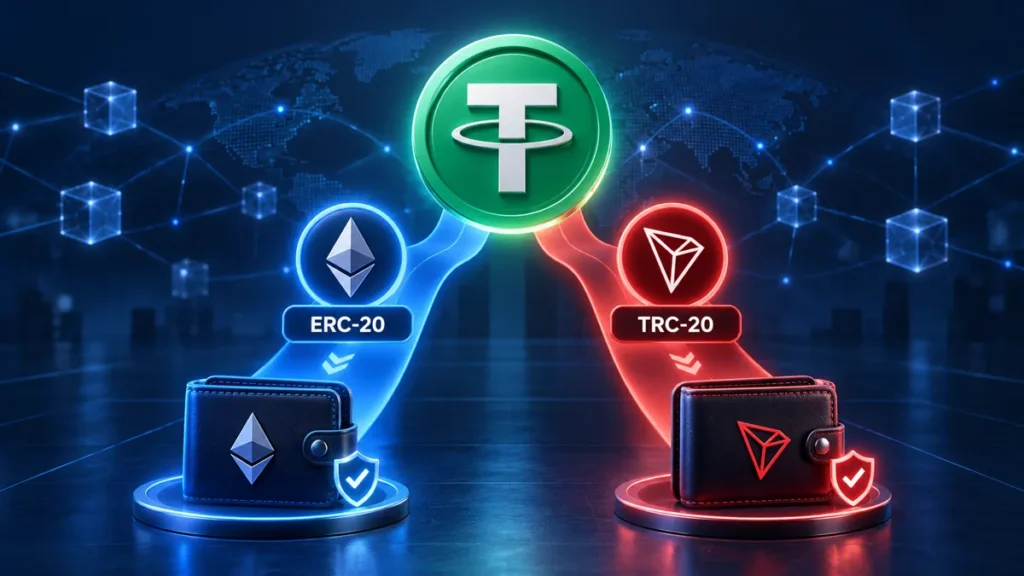
The network matters just as much. USDT sent on Ethereum and USDT sent on TRON are different network transfers. Searching the right hash on the wrong explorer may produce no useful result.
Use the explorer link supplied in your trusted wallet or platform, or a verified explorer named in the network's official documentation. You can search a public hash without connecting your wallet.
If you are unsure why the network choice matters, read ERC-20 vs TRC-20: Which Network Should You Use to Send USDT?. A familiar token name or similar-looking address does not prove that a receiving platform supports the route you selected.
A transaction hash is not a signing secret, but it can reveal addresses and financial activity. Share it with official support when necessary rather than posting your account details publicly.
Step 2: Match the result to the original transfer
Before interpreting the status, check that you are looking at the right record.
Compare the network, timestamp, sender, recipient, asset and amount with your original request. For a token transfer, inspect the token-transfer details or event records as appropriate. On Ethereum, the transaction's main “to” field can identify a token contract or another contract rather than the final token recipient.
Do not rely only on the first and last few address characters. Compare the full intended destination using a trusted record. Also distinguish the asset's token contract address from your receiving wallet address.
Some explorers show a transaction as successful because execution succeeded; you still need to inspect what that transaction actually did. A successful token approval, for example, is not evidence that a payment was sent.
Step 3: Use the status to choose your next action
| What you find | What it may mean | What to check next |
|---|---|---|
| No on-chain transaction ID | The service may still be processing the request, or the movement may be internal | Ask the sender or sending platform whether it has broadcast an on-chain transfer |
| Hash not found | Wrong explorer, incorrect hash, indexing delay or a transaction not visible to that explorer | Recheck the network and reference; ask the sender to verify broadcast status |
| Pending or unconfirmed | The transaction is visible but not yet included or sufficiently confirmed | Check network conditions and the sender's supported options |
| Failed or reverted | Execution did not complete as intended | Read the failure details and check the resulting balances and fees |
| Successful or confirmed | The network recorded the transaction | Verify the actual asset movement, destination and receiving platform's crediting requirements |
| Dropped or replaced | That pending transaction was removed from the explorer's view or another transaction replaced it | Follow the replacement record and recheck the sending account before taking action |
Explorer labels differ. Use the network's documentation and the platform's support guidance rather than assuming every blockchain handles the same label identically.
What if the hash is not found?
Start with a typing and network check. Copy the transaction ID from the original record, remove accidental spaces and confirm you are using the correct network's explorer.
If an exchange says a withdrawal is processing but provides no usable on-chain record, contact that exchange. The recipient cannot confirm a transfer that the sender has not yet broadcast.
A “not found” result from one explorer is not proof that the transaction can never execute. There may be indexing or propagation issues, or the hash may refer to a different network. Ask the sender to explain the status before you authorize another payment.
If the movement was an internal transfer between accounts on the same platform, there may be no separate blockchain transaction. Use that platform's internal reference and support process instead.
Why might a transaction remain pending?
Network demand, fee settings and dependencies on earlier transactions can matter. The exact causes and remedies depend on the network and the service that submitted it.
For Ethereum transactions, the sender's account uses a transaction sequence number called a nonce. A later transaction can wait behind an earlier one from that account. This is one reason repeated attempts may add confusion instead of solving the original delay.
Keep network-specific guidance separate. Ethereum nonce instructions are not a general repair procedure for Bitcoin, TRON or every other network. Exchange withdrawals also differ from transactions you control directly in a self-custody wallet.
Our guide to why crypto transfer fees vary explains the fee context. A higher fee paid somewhere else does not automatically accelerate an already-submitted transaction.
Should you use a wallet's speed-up or cancel option?
Only consider an option documented for your wallet, transaction type and network. Read the wallet's current instructions and confirm that the transaction is still pending on the network.
For supported pending Ethereum-compatible transactions, MetaMask documents speed-up and cancellation methods involving a replacement transaction. These are attempts to replace an unconfirmed transaction, not commands that reverse a completed payment. Additional fees may apply, and the original transaction may confirm before the replacement succeeds.
A beginner should use the wallet's supported interface where available rather than copy unfamiliar nonce or gas settings from a stranger. If the sender is an exchange, you generally do not control its signing wallet or transaction replacement process; use its official support route.
Do not clear wallet data or reinstall an app as a first diagnostic step. Changing the local display does not undo blockchain activity, and careless recovery steps can create another access problem.
What does a failed or reverted transaction mean?
A failed smart-contract transaction does not necessarily complete the transfer you intended. On Ethereum, execution can revert while gas is still charged for the work performed.
Read the failure reason where available and check the actual asset movements. Do not assume the amount shown in the original sending screen is evidence of a completed payment.
If you decide to try again, first establish that the original intended transfer failed and understand the reason. Repeating a transaction without changing the underlying problem may simply produce another failure and another fee.
For a platform withdrawal, the exchange may need time to update or reconcile its own records. Ask it how the failed withdrawal is being handled instead of assuming the funds are instantly available to withdraw again.
What if the transaction is confirmed but the recipient sees nothing?
At this point, investigate the destination and receiving system. Waiting for the sender's wallet to refresh will not fix every receiving-side issue.
Check the address, asset and network
Compare the full destination with the original trusted deposit instructions. Confirm that the receiving service supports that asset on that exact network, including any regional limitations.
A correct address format does not establish platform support. If you used an unsupported network, contact the receiving provider through its official process. Recovery may be unavailable, may involve conditions or fees, and is not guaranteed.
Check deposit requirements
Exchanges can impose confirmation thresholds, minimum deposit amounts, maintenance windows and asset-specific instructions. Some deposits require a memo or destination tag in addition to an address.
Use the receiving platform's current instructions for the asset involved. Do not reuse an old minimum amount or confirmation count from an unrelated tutorial. If a required memo or tag was omitted, contact the platform; sending another deposit with a tag does not automatically identify the earlier one.
Check the wallet display
For a self-custody wallet, confirm that the intended receiving account and network are selected. If a token is not displayed, use the wallet's official instructions and a verified token contract address to investigate.
Adding a token to the display does not recover a transfer sent to the wrong recipient. Seeing a token label also does not establish that it is the genuine asset. Verify the actual transaction and contract rather than trusting a name alone.
A fictional example: the network succeeded, the deposit has not appeared
Amina sends 50 units of a token from one exchange to another using a supported network. The sender provides a transaction hash, and the explorer shows successful token movement to the intended destination.
The receiving exchange still shows no credited balance. Amina checks its deposit instructions and sees that the platform waits for additional confirmations. She saves the hash and reviews the stated processing conditions rather than sending a second 50-unit payment.
If the deposit remains missing after those conditions are met, she contacts the receiving exchange with the relevant details. If the explorer had instead shown no broadcast transaction, the sending exchange would have been the first place to investigate.
This example illustrates a diagnostic sequence. It is not a promised waiting time or a claim about any particular platform's policy.
What should you send to official support?
Prepare a concise record:
- Asset and exact network used.
- Transaction ID or the platform's internal reference, clearly labelled.
- Amount and sending time, including the time zone.
- Sending and receiving addresses where relevant.
- Memo or tag used, if required.
- Screenshots of the status with unrelated personal information hidden.
- A short explanation of what the explorer shows and what the receiving account shows.
Do not include a seed phrase, private key, password or two-factor authentication code. Use the support channel reached through your normal app or a verified official website.
If someone contacts you privately after you ask for help, treat their identity as unverified. Requests to “synchronize,” “validate” or “unlock” a wallet by revealing secrets are a separate danger. Read Seed Phrase Safety: How to Avoid Fake Wallet Support before following recovery instructions.
Common questions
How long should a pending crypto transaction take?
There is no single waiting time across networks and services. Check the actual transaction state, current network conditions and the sending or receiving platform's documented processing requirements.
Can I cancel a confirmed transaction?
A wallet's pending-transaction cancellation feature does not reverse a finalized on-chain transfer. If funds reached a recipient, any return depends on the recipient or the relevant platform and circumstances; it is not a universal blockchain undo function.
Will sending again make the first transfer arrive?
Not necessarily. A new transfer may be processed separately, resulting in two payments. Establish the original transaction's status before resending.
Does checking a transaction require connecting a wallet?
A public block explorer normally lets you search a transaction hash without wallet connection or signing. A request for secret recovery information is not part of reading that public record.
Before you send anything else
Identify the network, obtain the right reference and verify what happened on-chain. Then direct the question to the system responsible for the next stage: sender, network-facing wallet or receiving platform.
Keep the transfer record until the issue is resolved. If someone promises an instant fix in exchange for more money or wallet access, stop and verify their identity independently.
Sources and scope
General education, not personalized financial advice or a guarantee of recovery. Network behavior and platform policies vary. The example is fictional. Follow the current documentation for your specific wallet, network and receiving service.
Primary references checked 31 October 2026:
- Ethereum.org — Transactions: transaction structure and network processing.
- MetaMask — Speed up or cancel a pending transaction: supported pending-transaction replacement options and limitations.
- MetaMask — Why did I pay gas fees for a failed transaction?: failed execution and gas costs.
- Coinbase — Pending crypto transactions: confirmations and supported-network deposit checks.
For more beginner lessons, visit the Crypto Learning Hub. Read BizCryped's editorial policy for source and correction practices.